
Why Does Ahrefs Displays a 403 Error For My Site?
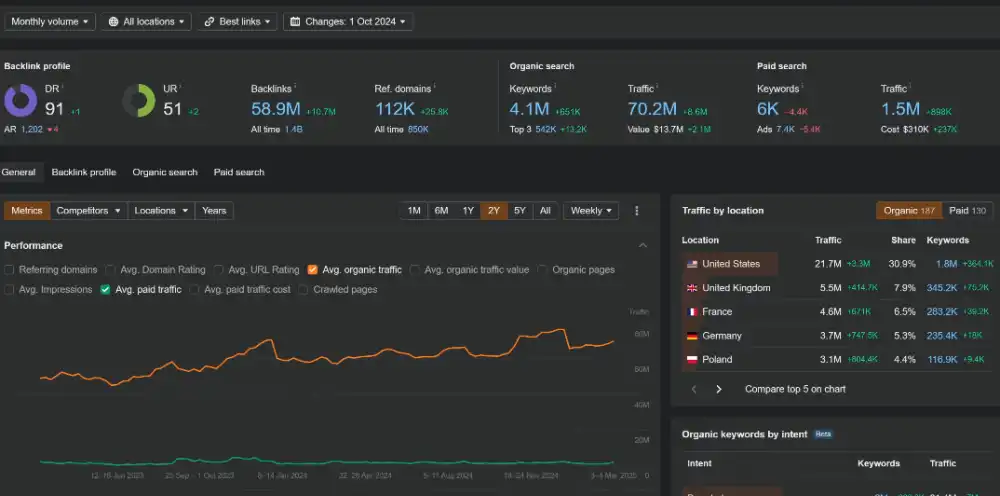
A 403 means the server/security layer actively refused access.
Ahrefs is one of the most trusted SEO tools for website owners, marketers, and developers who want to understand how search engines view their site. It crawls your pages the same way Google does, identifying broken links, missing metadata, and ranking opportunities. Its backlink index is one of the largest in the industry, giving you deep insight into how your domain authority grows over time.
When Ahrefs can’t access your site—showing a 403 Forbidden error—it means you’re missing out on valuable crawl data. These errors prevent Ahrefs from analyzing your pages, backlinks, and overall SEO performance. Fortunately, the problem isn’t with Ahrefs itself—it’s usually a server or firewall configuration issue that’s easy to fix once identified.
This guide walks through the main reasons Ahrefs shows a 403 even when your website is live and accessible, plus step-by-step fixes for WordPress, NGINX, and Cloudflare setups.
Why Ahrefs Shows a 403 Error When Your Site Is Working
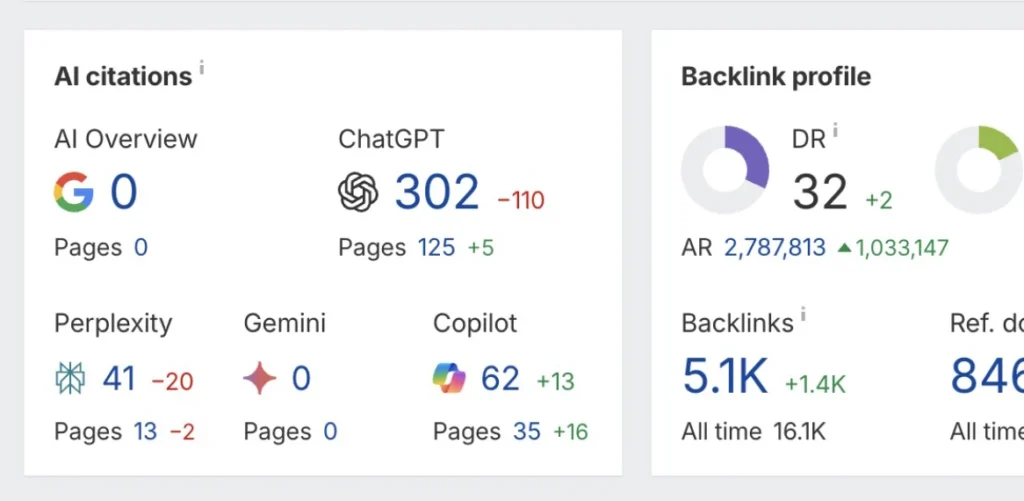
If Ahrefs reports a 403 (Forbidden) error but your website loads normally in a browser, it means your server or firewall is blocking AhrefsBot. The issue is common with WordPress firewalls, Cloudflare, and some hosting configurations, but it is not blocked by Host Much. Here’s how to identify and fix this issue.
1. Check Your Firewall or Security Plugin
Security layers like Wordfence, Imunify360, ModSecurity, or your host’s firewall may automatically block AhrefsBot.
Fix:
Whitelist the official AhrefsBot user agent:
Mozilla/5.0 (compatible; AhrefsBot/7.0; +http://ahrefs.com/robot/)
Or allow Ahrefs’ IP addresses listed here:
https://ahrefs.com/robot
2. Review Your robots.txt File
Sometimes robots.txt accidentally blocks AhrefsBot.
Check for this line:
User-agent: AhrefsBot
Disallow: /
Fix:
Remove or comment out that section so Ahrefs can crawl your pages.
3. Check Your Firewall Rules
Confirm that ports 80 (HTTP) and 443 (HTTPS) are open to all IPs.
Fix:
Whitelisting isn’t required for specific bots—just ensure those ports allow global access.
To test AhrefsBot access directly:
curl -A "AhrefsBot" -I https://yourdomain.com
If the response shows 403 Forbidden, your server is blocking AhrefsBot. Follow up with a test with GoogleBot to see if your site is also blocking Google.
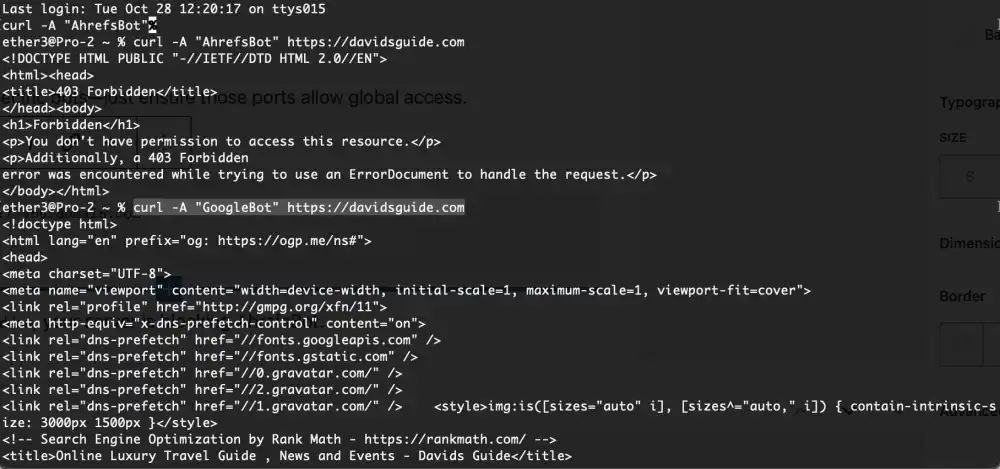
If your curl test returns 403 Forbidden for AhrefsBot but works fine for Googlebot, it means your server or security system is selectively blocking Ahrefs. This is a bot-specific restriction, not a general server issue.
4. Look for .htaccess User-Agent Filters
Sometimes your .htaccess or NGINX rules block bots by user-agent.
Check for this in .htaccess:
RewriteCond %{HTTP_USER_AGENT} AhrefsBot [NC]
RewriteRule .* - [F,L]
5. Are You Using Cloudflare?
Cloudflare’s Bot Fight Mode can mistakenly block AhrefsBot.
Fix:
Go to
Cloudflare Dashboard → Security → Bots → Manage Bot Settings
and toggle Allow AhrefsBot.
6. WordPress Plugins That Interfere
Plugins like Wordfence, Solid Security, or Limit Login Attempts can block crawlers if they see unusual activity. Try to disable any plugin that might interfere and then try the curl test again. If that works, isolate the plugin.
Try this Fix:
- Go to your plugin’s firewall or lockout logs.
- If you see entries with AhrefsBot, add it to the allowed list.
- Clear cache and security rules afterward.
The Apache Web Server Can Interfere
Apache: common mods and rule patterns that block bots
1) mod_security (OWASP CRS / commercial rule sets)
- Classic source of “mystery 403s.”
- Triggers on request patterns, headers, querystrings, user-agents, or rate-like behavior.
- Often logs as 403 with a rule ID.
- Files/places:
mod_security2config, OWASP CRS includes, host-level WAF configs.
2) mod_rewrite + .htaccess bot lists
- The most literal “bot list” style blocking.
- Usually blocks by User-Agent and returns 403.
- Typical pattern:
RewriteCond %{HTTP_USER_AGENT} (ahrefs|semrush|mj12bot|dotbot|bingbot) [NC]RewriteRule .* - [F,L]
3) mod_authz_core / Require all denied rules (Apache 2.4+)
- Sometimes added to protect directories or block certain clients.
- Can be combined with environment flags set by UA/IP checks:
SetEnvIfNoCase User-Agent "AhrefsBot" bad_bot<RequireAll> Require all granted Require not env bad_bot </RequireAll>
4) mod_evasive (DoS/brute-force style protection)
- Blocks clients that request too fast (crawler behavior can look like abuse).
- Can deny by IP temporarily and may surface as 403/429 depending on setup.
5) Host/stack-level additions that behave like mods
Not Apache modules, but frequently the real cause in “Apache sites”:
- Fail2ban jails triggered by repeated requests
- CSF/LFD (ConfigServer) firewall blocking IPs
- Imunify360 “bad bot” / reputation blocks
- cPanel/hosting WAF rules layered in front of Apache
Nginx: common directives/modules that block bots
1) deny / allow rules (IP or geo blocks)
- Direct, explicit blocks that return 403:
deny 1.2.3.4;- Geo blocks via
geo/geoipmodules andif/map.
2) map + if User-Agent bot lists
- Nginx doesn’t use
.htaccess, so bot lists live in site configs. - Typical pattern:
map $http_user_agent $bad_bot { default 0; ~*(ahrefs|semrush|mj12bot) 1; }if ($bad_bot) { return 403; }
3) limit_req / limit_conn (rate limiting / connection limiting)
- Often returns 429, but many configs intentionally return 403.
- Crawlers that hit lots of pages quickly get blocked.
4) WAFs in front of Nginx (common in Nginx stacks)
Even if Nginx is the origin, the 403 may be issued by:
- Cloudflare / Akamai / Fastly
- AWS WAF / Google Cloud Armor
- Sucuri
- ModSecurity running with Nginx (yes, ModSecurity can sit with Nginx too)
The “bot list” causing the 403 is usually one of these
- A User-Agent denylist (Apache rewrite / Nginx map+if)
- A WAF rule set (ModSecurity / OWASP CRS / provider WAF)
- A rate limit rule (limit_req / mod_evasive)
- A reputation firewall (Imunify360 / CSF / edge WAF)
Confirm After Fixing
Re-run the Ahrefs crawl or test again using:
curl -A "AhrefsBot" -I https://yourdomain.com
If you now receive a 200 OK, Ahrefs should crawl successfully on the next recheck.
Final Thoughts: Why You Should Always Allow AhrefsBot Access
AhrefsBot isn’t some rogue crawler or bandwidth hog—it’s a professional-grade SEO analysis bot designed to help you understand how your website performs on the open web. When you allow it access, you’re giving yourself access to detailed crawl data that can uncover broken links, identify weak pages, and track your site’s backlink health across the internet.
Unlike aggressive scrapers, AhrefsBot fully respects your robots.txt directives and adheres to modern crawl delay standards. It won’t flood your server with requests or consume excessive bandwidth. Its purpose is diagnostic, not exploitative. Each visit contributes to a more accurate view of your SEO metrics and gives you a clearer picture of how Google, Bing, and other search engines might interpret your website structure and internal linking.
Blocking AhrefsBot, on the other hand, blinds you to this data. You lose visibility into backlinks, keyword performance, and technical SEO issues that can impact rankings. It’s the equivalent of flying blind when competitors are using radar. Most webmasters who block Ahrefs out of caution later realize that the “protection” actually caused more harm to their optimization efforts than any hypothetical risk of being crawled.
By allowing AhrefsBot, you enable better decision-making. You can refine your site architecture, diagnose indexing issues, and monitor how well your content earns trust through links and shares. In short, it’s an ally in your growth strategy—not a threat.
Need More Help?
Stuck guessing whether your security settings are blocking valuable crawlers like AhrefsBot—and losing vital SEO insights as a result?
Unlock confidence with Host Much. Hire a Web Manager for your business: your dedicated part-time website professional, ready 24/7 to monitor bot access, firewall rules, plugin configurations, and site health so you can stop troubleshooting and start optimizing.
Take the next step: hire a Web Manager today and ensure legitimate crawlers get through while you stay secure and data-driven.